Home Recording Buying guide
Best Audio Interfaces for Home Recording 2026: 6 Picks
The Focusrite Scarlett 2i2 (4th Gen) is the best audio interface for most home studios. It has two inputs, and its Auto Gain and Clip Safe features stop beginners ruining takes. If you only ever record yourself, the Scarlett Solo costs less. If you want MIDI and two headphone outputs, choose the SSL 2 MKII.

-
Best overall
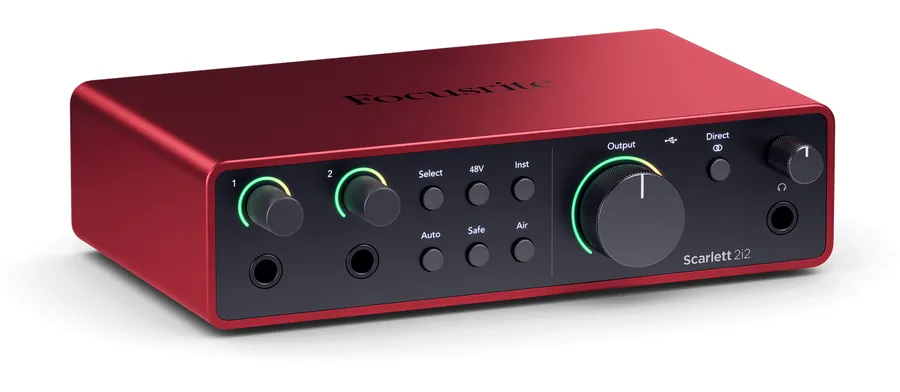
Image: Focusrite Focusrite Scarlett 2i2 (4th Gen)
-
Best budget
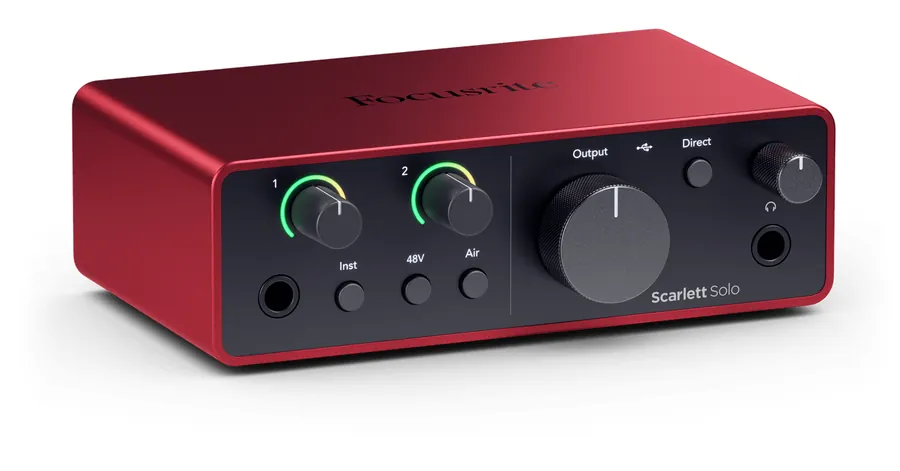
Image: Focusrite Focusrite Scarlett Solo (4th Gen)
-
Best for musicians with keyboards
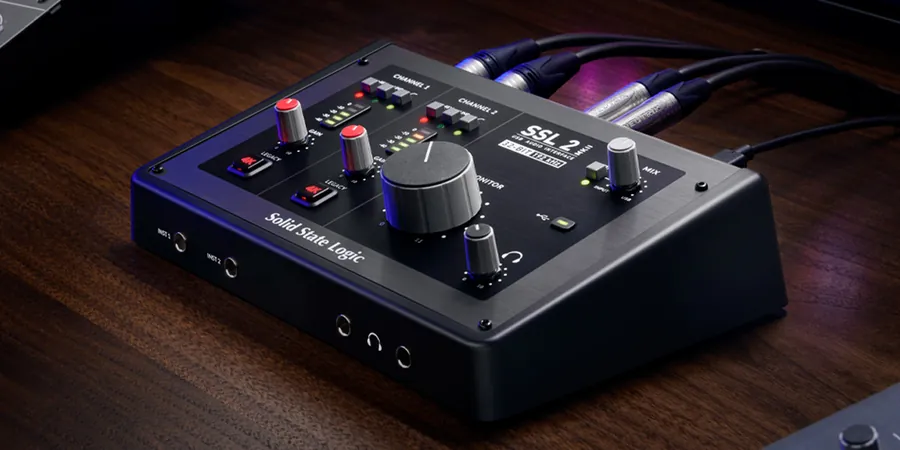
Image: Solid State Logic SSL 2 MKII
-
Best metering & latency
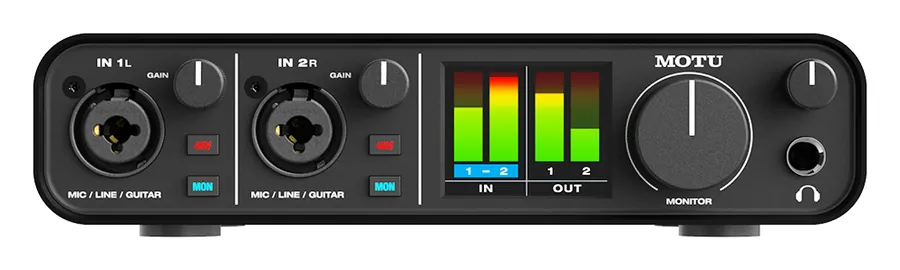
Image: MOTU MOTU M2
-
Best vintage character
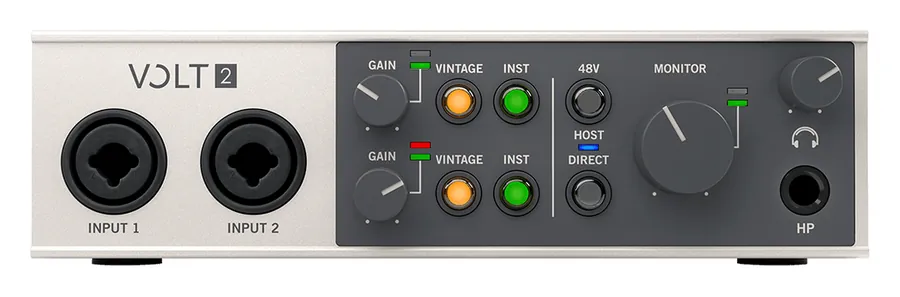
Image: Universal Audio Universal Audio Volt 2
-
Best single-mic upgrade
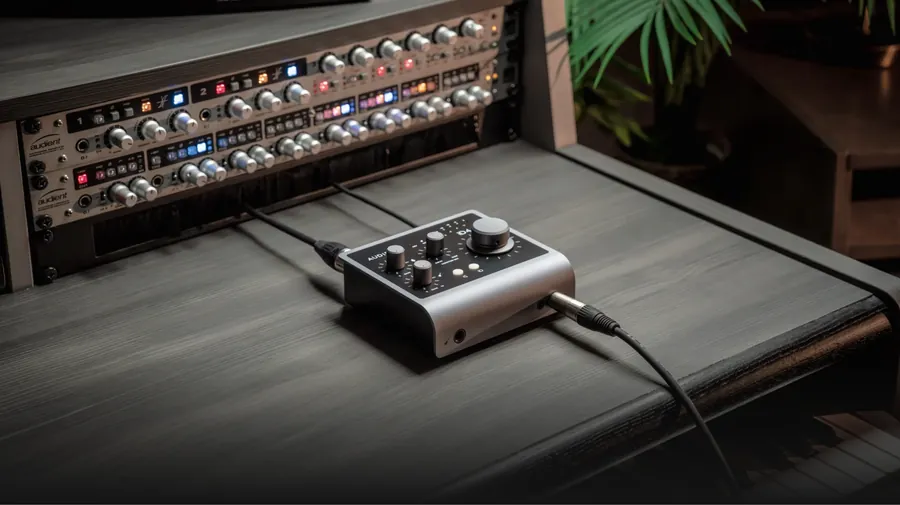
Image: Audient Audient iD4 MKII
Compare at a glance
| Price band | ||||||
|---|---|---|---|---|---|---|
| Focusrite Scarlett 2i2 (4th Gen) | Best overall | 2 combo (mic/line/inst) | 1 | Auto Gain, Clip Safe, Air, loopback | 9.3 | $180–$230 |
| Focusrite Scarlett Solo (4th Gen) | Best budget | 1 mic + 1 instrument | 1 | Air mode | 8.7 | $120–$150 |
| SSL 2 MKII | Best for musicians with keyboards | 2 combo (mic/line/inst) | 2 | Legacy 4K, MIDI I/O | 9.0 | $200–$250 |
| MOTU M2 | Best metering & latency | 2 combo (mic/line/inst) | 1 | Full-colour level meters, loopback | 8.9 | $180–$230 |
| Universal Audio Volt 2 | Best vintage character | 2 combo (mic/line/inst) | 1 | Vintage (tube-style) mode | 8.6 | $150–$200 |
| Audient iD4 MKII | Best single-mic upgrade | 1 mic + 1 JFET instrument | 2 | ScrollControl, all-metal | 8.5 | $180–$220 |
Focusrite Scarlett 2i2 (4th Gen)
Two combo inputs cover vocals plus guitar, or a two-person podcast. Auto Gain sets your levels for you, and Clip Safe pulls the gain down before a loud note distorts. Those features matter most for people new to recording. Loopback also makes it a strong streaming interface.
- Inputs
- 2 combo (mic/line/inst)
- Resolution
- 24-bit / 192 kHz
- Headphone outs
- 1
- Extras
- Auto Gain, Clip Safe, Air, loopback
What we like
- Auto Gain and Clip Safe stop beginners ruining takes
- Two inputs: vocal + guitar, or two-person podcast
- Loopback for streaming
What to know
- No MIDI ports
- Single headphone output
Skip it if you only ever record one source (the Solo saves money).
Focusrite Scarlett Solo (4th Gen)
Singer-songwriters who record one thing at a time can save money with the Solo. You get one mic input and one instrument input with the same 4th Gen conversion. It is bus-powered and tiny.
- Inputs
- 1 mic + 1 instrument
- Resolution
- 24-bit / 192 kHz
- Headphone outs
- 1
- Extras
- Air mode
What we like
- Cheapest way into the 4th Gen sound
- Simple for singer-songwriters
- Bus-powered and tiny
What to know
- Cannot record two mics at once
- Fewer automation features than the 2i2
Skip it if you might ever record two people or a stereo source.
SSL 2 MKII
MIDI in and out, two headphone outputs and SSL’s Legacy 4K button make the SSL 2 MKII a versatile desk hub. Legacy 4K adds console-style presence to vocals and guitars. It lacks Focusrite’s auto-gain safety net.
- Inputs
- 2 combo (mic/line/inst)
- Resolution
- 32-bit / 192 kHz
- Headphone outs
- 2
- Extras
- Legacy 4K, MIDI I/O
What we like
- Legacy 4K button adds console-style presence
- MIDI in/out for keyboards
- Two headphone outputs for duo sessions
What to know
- No auto-gain safety net
- Larger desktop footprint than the Scarlett
Skip it if you want the most hands-off setup for a total beginner.
MOTU M2
The M2’s full-colour level meters show your levels at a glance, and MOTU’s drivers are known for very low latency. It is a great choice if you monitor through software effects while you record.
- Inputs
- 2 combo (mic/line/inst)
- Resolution
- 24-bit / 192 kHz
- Headphone outs
- 1
- Extras
- Full-colour level meters, loopback
What we like
- Clear on-device level meters
- Very low-latency drivers
- Clean, quiet converters
What to know
- No auto-gain help
- Plain bundle compared with rivals
Skip it if you need MIDI or a second headphone out.
Universal Audio Volt 2
Vintage mode adds tube-style warmth as you record, and UA’s software bundle is generous. The colour is recorded into the track, so use it with intent.
- Inputs
- 2 combo (mic/line/inst)
- Resolution
- 24-bit / 192 kHz
- Headphone outs
- 1
- Extras
- Vintage (tube-style) mode
What we like
- Vintage mode adds warmth on the way in
- Strong software bundle
- Solid, retro-styled chassis
What to know
- No built-in compressor on this model (Volt 276 has it)
- Vintage mode is committed to the recording
Skip it if you want MIDI ports or two headphone outs.
Audient iD4 MKII
A console-grade preamp, a JFET instrument input and two headphone outputs in a rugged metal box. It only has one mic input, so it suits solo artists who care about preamp quality.
- Inputs
- 1 mic + 1 JFET instrument
- Resolution
- 24-bit / 96 kHz
- Headphone outs
- 2
- Extras
- ScrollControl, all-metal
What we like
- Console-grade preamp
- Two headphone outs on a compact box
- Rugged metal chassis
What to know
- Only one mic input
- Tops out at 96 kHz (fine for most people)
Skip it if you need to record two mics.
Buying advice
What actually matters when you choose audio interfaces for home recording.
Inputs
Count how many sources you record at the same time, then add one for future needs.
Gain help
Auto-gain and clip protection save takes if you are new to setting levels.
Headphone outputs & MIDI
Duos and keyboard players benefit from a second headphone output and MIDI ports.
Sample rate
24-bit/48 kHz is plenty. Ignore 192 kHz marketing.
Also considered
- Behringer UMC202HD. Very cheap and functional, but its drivers and noise floor trail the picks above.
- Universal Audio Volt 276. Adds a built-in 76-style compressor to the Volt 2. Worth it if you track vocals often.
What we'd avoid
- USB "podcast mixers" for music. Great for streaming, but most lack the clean instrument inputs and low-latency drivers that music recording needs.
How we picked these
Every pick on this page is research-scored, not yet tested hands-on. We compared manufacturer specifications with the expert reviews listed below, then scored each model against our published criteria. When we test a model in person, its badge changes to "Tested hands-on" and we add our measurements and photos.
Sources: MusicRadar: Best audio interfaces · AirGigs: Best audio interfaces for the home studio
FAQ
Do I need an audio interface to record guitar?
Yes, unless your amp has USB audio. An interface gives you a clean instrument input and low latency.
Scarlett 2i2 or Solo?
Choose the 2i2 if you will ever record two sources at once. Otherwise the Solo is enough.
Is 32-bit better than 24-bit?
For home recording the difference is negligible. Preamp noise and drivers matter more.
Do I need phantom power?
Only for condenser microphones. Every interface here provides 48 V phantom power.